Thursday, August 27, 2009

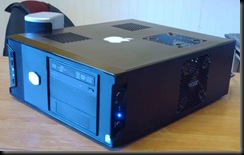
Snow Leopard on a Intel Atom D945GCLF?

Well I bought a copy of Snow Leopard 10.6 online from MacMall.com for $24.99 after reading that the snow leopard “upgrade” disk is in fact a full copy that doesn’t check for the previous OS and will install on a Intel Mac system with a blank hard drive.

I’ve been researching and have found that for the most part most people can install Snow leopard on their hackintosh systems by using the boot-132 boot cd method and either the latest version of chameleon or the pc efi software from netkas.

I’m going to be switching my hackintosh over to using a serial ata 120 GB hard drive from my original 40 gig IDE so I’ll document the steps I had to take to get my hackintosh back up and running and I’ll post my results in a later article.

Next week I’ll be headed down to Atlanta, GA Thursday evening 7-3-2009 to attend the Dragon-Con Sci-Fi & Fantasy Convention and I won’t be back home until the sometime in the afternoon on Labor Day so it’ll be a little while before I have time to actually sit down and work on getting snow leopard installed on my hackintosh.

Until then, I remain your obedient Servant…

Doctor Evil

Wednesday, August 5, 2009

Well my D945GCLF Atom Hackintosh survived the new 10.5.8 update


I noticed after my system had rebooted it had reverted me again to 1024x768 resolution which doesn’t look nice when you are using a 24 inch monitor.

Possible solutions to fix this issue are to hard code the boot.plist file to use the proper resolution but I didn’t feel like messing with that so I just reinstalled the D945GCLF2 driver package found here and then I rebooted the system again, and Bamm I’m back to 1920x1080 on my Gorgeous Dell S2409W 24 Inch Monitor. God I love the picture on this monitor.


I may investigate an easier way to keep my monitor running at the native resolution, but for now I have to finish up the Internet College Algebra class I’m taking. the website doesn’t work too well on non windows computers so I’ve been having to spend all my time on my Windows Vista Ultimate system (soon to be Windows 7 Ultimate as soon as Technet releases the ISO images and serial numbers to technet suscribers)

Thursday, July 9, 2009

Anyone have any experience with a Dell Vostro A100 Intel Atom system as a hackintosh?


I saw a listing on ebay for a barebone Dell Vostro A100 for $125 with free shipping, and it intrigued me.

When I used google to search for this model I got this page from Dell

Vostro A100 Mini Tower

apparently this model was sold only in Europe and it came with Ubuntu Linux installed.

From the Tech Description It sounds like it has a D945 Mini-ITX motherboard installed, but I’m not sure which model.

This sounds like it might be a good system to turn into a Hackintosh. It would be funny as hell to show this one to your friends and co-workers sitting there running OSX Leopard on a ……GASP! Dell computer system.

The only thing I didn’t like about this one it that it doesn’t appear to have a IDE Port so it would require a SATA Hard Drive, and a SATA DVD , CD-RW DVD Combo, or DVD Burner Optical Drive and a stick of DDR2 Memory.

If anyone has used this model from Dell can you leave comments about it and let me know how it works as a hackintosh system?

Wednesday, July 8, 2009

Installing a PCI Nvidia 8400 GS graphics card on a D945GCLF

Otherwise known as how to really screw up your OSX Leopard Installation

Because the onboard Intel GMA950 video card on my Intel D945GCLF isn’t able to decode Hulu video smoothly (jumps and jerks) I got the brilliant idea to purchase a Sparkle Nvidia 8400 GS 256 meg PCI video card for my Hackintosh, this should give it a nice little boost, and OSX Likes Nvidia graphics cards right?

WRONG!

I have reloaded my system twice now, and have tried adding EFI strings for my video card, and have tried Netkas’s ATY_Init Injector found here http://netkas.org/?p=107

without either of these methods I get a 1024x768 display with severe visual artifacts, smears,etc. on screen.

after I use either method to get my 8400 gs recognized by the system I lose system stability. My system randomly freezes for no apparent reason. After doing a little research I determined that OSX is recognizing my PCI video card as a PCI Express video card and this most likely is why OSX is flipping out.

Thank god for Carbon Copy Cloner, I cloned my hard drive on my hackintosh before I installed the new video card so this evening I will be removing this PCI video card and then restoring my hard drive to before the new card was installed, this will put me back to when my system ran great other than the hulu problem.


Anyone want to buy a used 8400 GS PCI video card???

Wednesday, July 1, 2009

DUBL: Darwin Universal Boot Loader

I got a interesting newsletter email from Psystar today that had an article about a new graphical boot loader that they will be using with all of their systems as of July 1st called DUBL: Darwin Universal Boot Loader
As of July 1st all new Psystar computers will feature our exclusive DUBL graphical bootloader technology. In the coming weeks existing Psystar customers will be able to upgrade thier current systems via the OpenRestore application provided your system is under warranty. Upon its availability to existing customers, you will be notified via email. Shortly after that we are planning an open source release for the general public.
New Features
  • Graphical boot menu
  • Advanced XNU option support
  • Automatic detection of multiple OS's
  • Legacy IDE ATAPI support
dubl_screen_tn
I fully believe that Psystar is using code from PC EFI and Chameleon’s EFI software, but I think it’s a good step in the right direction that they are taking in that they are going to release an open source version of the Darwin Universal Boot Loader software.
Since a large majority of their software was derived from Open Source OSX86 software and drivers, the least they can do is share their changes to the code.
Good for you Psystar, You may just have won me back as a future Customer if I ever get tired of tinkering with and building my own Hackintosh computers.

Saturday, June 27, 2009

Intel D945GCLF ATOM Hackintosh

After reading the article over on OSNEWS Building a Hackintosh Apple Can't Sue You For I wanted to build myself a Legal Hackintosh system.

I’m not rich so I had to buy the stuff I needed one piece at a time. Some of the components in my New Hackintosh are used parts that I recycled from my spares drawer.

here are the new parts I used for my hackintosh.

COOLER MASTER Elite 360 RC-360-KKN1-GP Black Steel / Plastic ATX Mini Tower Computer Case $39 dollars at frys

Intel D945GCLF Mini-ITX motherboard $64 dollars at frys

HP DVD1140 22x Internal Double-Layer PATA DVD±RW/CD-RW Drive $37 at frys

The rest of the parts that I used to build my hackintosh were used.

Mac OS Leopard (Retail box copy Version 10.5.6) purchased from ebay for $60 dollars with free shipping

2 GB PC2-5300 DDR2 memory stick (pulled from another project system)

Maxtor Fireball 3 ATA/133 40 GB PATA hard drive

Micro ATX 150 Watt Power Supply that was pulled from a Gateway desktop system that had a bad motherboard (bulging capacitors)

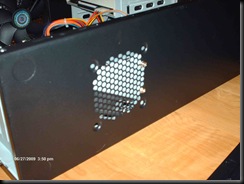
The Cooler Master Elite 360 case didn’t come with a power supply, but because CM built this case to stealth the power supply inside the case, I was able to scrounge through my spare parts bin and find a low wattage Micro ATX PSU that I couldn’t use in a ordinary case. I was able to bolt it to the side of the CM Elite 360 case as seen in this photo.
HPIM0470

HPIM0469

The Intel D945GCLF board mounted into the case very easily. I would have liked to had a smaller case but most of the ones I looked at required a laptop optical drive. I didn’t have any suitable spares, so that is what made me decide on just buying the HP DVD Recorder drive and using the CM Case. My goal was to be as cheap as possible but still build a hackintosh system that could boot using the Boot-132 boot CD and install from a vanilla (unaltered) Mac OSX Leopard retail install DVD

OK On to more pictures of my hackintosh.

Exterior shots. (please note the Apple Sticker that has been applied to the top of the case, so I’m complying with the EULA in that I’m installing OSX on a Apple Branded system)

HPIM0459

HPIM0460

HPIM0463

Interior shots

HPIM0464

HPIM0465

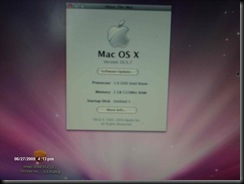
Screen shot from OSX Leopard with my system info
HPIM0476

Notes about installing OSX Leopard on the Intel D945GCLF Mini-ITX

You will need these software packages

Intel D945GCLF2_ISO boot-132 package

OSX86 Tools

The Realtek R1000 Kext driver from PsyStar as the driver installer in the Intel D945GCLF2 boot package link above doesn’t work with the ethernet card on the Intel D945GCLF motherboard. Use the install kext option in OSX86 Tools to install the R1000 kext

Notes for installing Leopard.

Boot the boot-132 boot cd, when prompted hit enter, on the next screen remove the boot-132 cd and insert your retail OSX Leopard installation DVD, then hit enter after the disk is finished reading the leopard install DVD.

be sure to partition your hard drive as a GUID type partition

after you have finished installing osx reinsert the boot-132 cd and use it to boot the primary hard drive.

Run OSX86 Tools and use the FDISK and install EFI options to properly prepare your hard drive for the EFI boot loader, and then install the Chameleon boot loader.

After this you should be able to boot your hackintosh without having to use the boot-132 CD

If you experience problems with Leopard looping back to the welcome video after the transfer files wizard there are a few different solutions suggested on insanelymac, but this one worked for me straight away.
Press F8 during boot, and type -s
then enter the following commands:

/sbin/fsck -fy

/sbin/mount -uw /

touch /var/db/.AppleSetupDone

passwd root

I’ve been able to install all updates from Apple without any problems or issues.

Please Support Apple by buying a legitimate copy of OSX Leopard, the whole point of building your own hackintosh is that you are expressing your disappointment and disgust for the current way that Apple handles it’s company as a hardware company that just happens to sell a few pieces of software. The cost for a legal copy of Mac OSX Leopard is very reasonable. $129 isn’t that expensive.

The Reason I built my own Hackintosh is that the Mac Mini is a poor excuse for a entry level machine. My Hackintosh system was built for around $200 dollars (including the cost for my used copy of Leopard) and not counting the used hard drive and power supply that I scavenged from my parts bin.

This Intel Atom Mini-ITX System is a good entry level system, Apple needs to get their head out of their ass and make a mid level desktop system, something with upgradable video, memory, and the ability to install more than one optical drive or hard drive. Psystar and several other companies are trying to fill this niche because Apple doesn’t seem to care or even want to address the DIY market of users who would gladly buy Apple equipment if Apple sold a product that met their needs.

Friday, June 5, 2009

Microsoft TechNet Subscription Discount Codes

Saw this article over at Kristen Kenny's Digital Life blog

Late last month, I blogged about Microsoft Technet. I know there are a lot of you out there who want to subscribe to this amazing evaluation service, but at the same time you’re on a tight budget or you’re just trying to strech your dollar further. Well, today is your day.

Here are a few discount codes for Microsoft TechNet that will score you 15% off the purchase price (for new subscriptions, the price drops from $349 to $296):

* TMSAM09

* TMSAM10

* TMSAM13

* TMSAM12

* TMSAM15

* TMSAM16

And these discount code will score you 20% off the purchase price (for new subscriptions, the price drops from $349 to $279):

* TNCP210

* TNCP171

These coupons should work in both the United States and Canada, however I’m not sure if they work in other countries such as the United Kingdom and Australia. Also, if you’re a college student, be sure to check out  Microsoft DreamSpark!

What is DreamSpark, you ask? From the DreamSpark FAQ: Here’s how it works: if you’re a current university or high school student, you can download professional Microsoft developer, designer, and gaming software through DreamSpark at no charge. Yes, students get to download software at no charge. DreamSpark enables students, like you, to download and use Microsoft tools to unlock your creative potential and set you on the path to academic and career success by advancing your learning in the areas of technical design, technology, math, science, and engineering! It doesn’t matter what classes you’re taking right now, just as long as you’re a current student in a verified, accredited School and use the tools in pursuit of advancing your education in one of these areas.